Connecting CTP and Monitoring Futures Orders in VeighNa Fusion
Summary
This operational guide explains how to connect a VeighNa Fusion account to a CTP futures interface and check that contract lookup, market-data subscription, and order functions are working. It outlines prerequisites such as obtaining the correct broker credentials and using the intended simulated or production environment. After connection, users are advised to wait for contract-query confirmation, then verify exchange and contract identifiers before subscribing to quotes.
For order handling, the guide describes entering direction, open-close instruction, order type, price, and quantity, then monitoring order status, fills, positions, funds, and logs. It also discusses common cases such as failed connections, missing contracts or quotes, and unfilled orders, with checks involving network access, configuration, contract codes, and market hours. The material is a platform workflow reference rather than a trading method or evidence of strategy performance. It does not explain CTP protocol details or provide recommendations on choosing orders or managing market risk.
Key ideas
- Confirm broker credentials, network access, and the intended trading environment before connecting.
- Wait for successful contract-query feedback and verify contract identifiers before subscribing to quotes.
- Monitor order state, executions, positions, account funds, and logs after sending an order.
- Missing data may reflect incorrect contract details or inactive market hours, while an unfilled order can be normal.
- The guide covers platform operation and provides no strategy or performance evidence.
Tags
Full text
# CTP交易连接 # CTP交易连接 VeighNa Fusion 仅提供单一 `CTP` 交易接口,因此完成登录后,最重要的基础操作就是连接 CTP 并确认行情与交易功能工作正常。 ## 连接前准备 在执行连接前,建议先确认以下事项: - 已成功登录 VeighNa Fusion; - 已从所属期货公司获取 CTP 账户所需信息; - 当前网络环境能够访问交易和行情服务; - 交易时段、仿真环境或生产环境与账号用途一致。 如果你不确定所需填写的字段含义,应先向所属期货公司确认,不建议自行猜测或混用不同环境的配置。 ## 连接CTP 在主界面中点击 `【系统】->【连接CTP】`,即可打开 CTP 连接窗口。按照窗口中的字段要求填写相关信息后,点击确认发起连接。 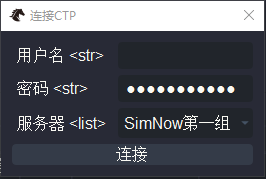 连接发起后,可观察 `日志` 组件输出的状态信息。若连接成功,系统通常会继续推送账户、持仓、合约或行情相关信息。 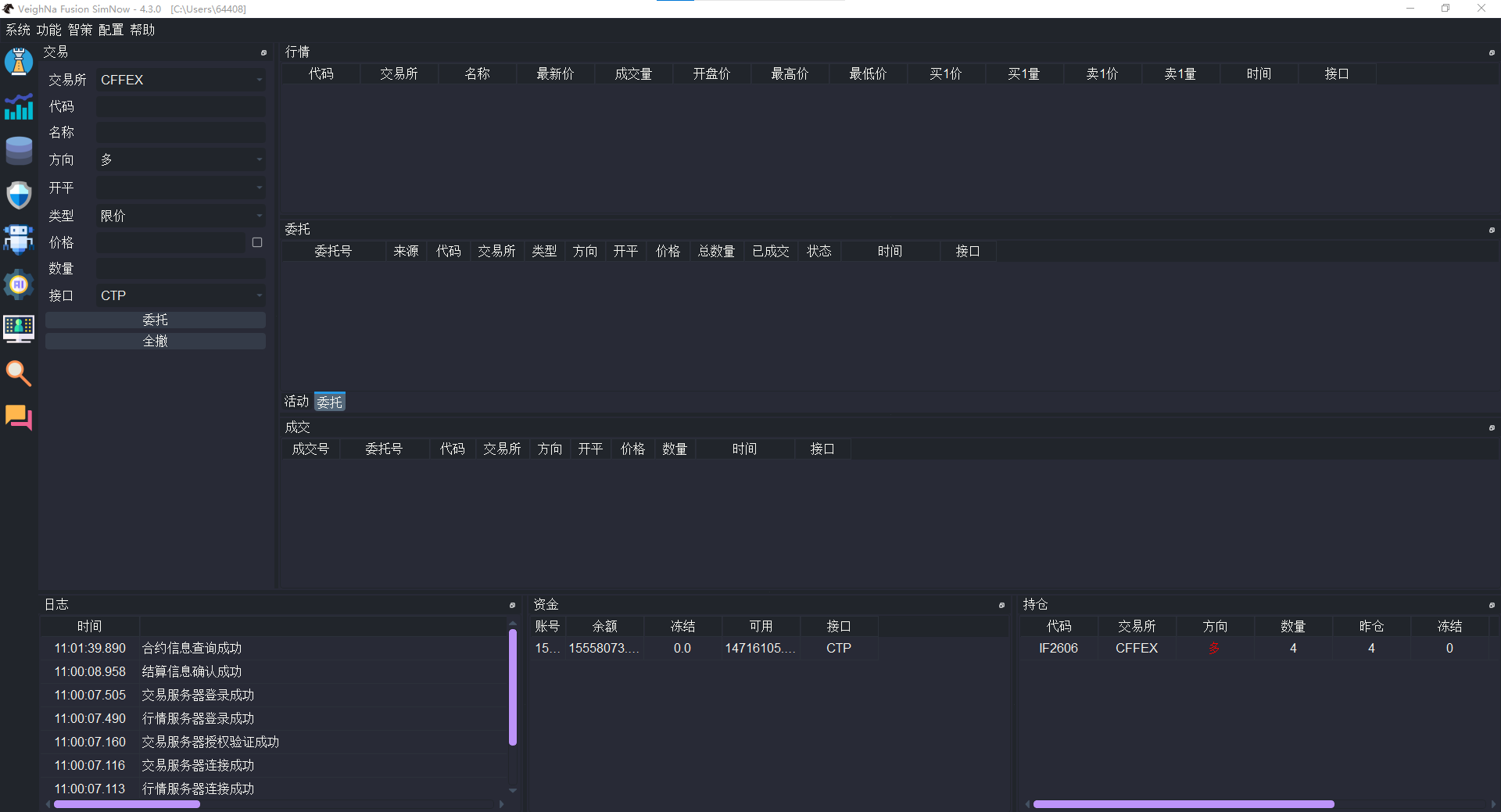 ## 查询合约 连接成功后,建议先通过 `【帮助】->【查询合约】` 请注意,等待`日志` 组件输出“合约查询成功”日志之后进行合约查询,查到的才是接口本次连接收到的所有合约。 查询合约时,常见用途包括: - 确认某个期货合约所属交易所; - 确认下单时应填写的合约代码; - 检查当前环境下该合约是否已可正常查询。 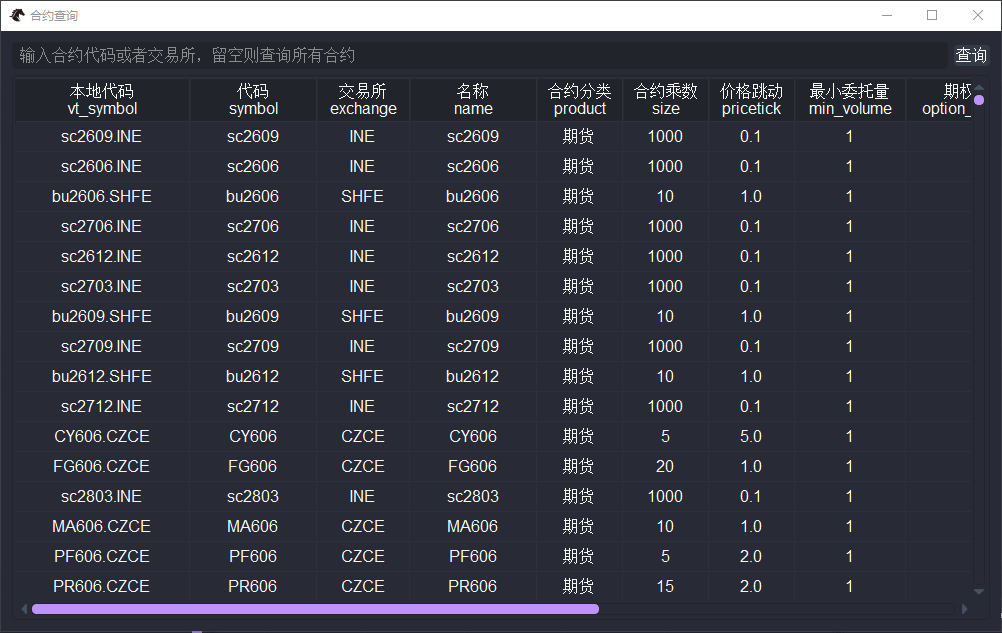 ## 订阅行情 在交易组件中输入正确的**交易所**和合约**代码**后,通常即可订阅该合约的行情。订阅成功后,界面会逐步显示: - 合约名称; - 最新价; - 买卖盘报价; - 其他实时行情字段。 若订阅后界面长期没有行情更新,应先回到【合约查询】页面**确认代码是否填写正确**,再检查当前时间段是否有有效行情推送。 请注意,名称不用填写,订阅成功之后会自动显示。  ## 委托下单与撤单 在完成行情订阅后,可在交易组件中填写下单信息,常见字段包括: - 交易所; - 代码; - 方向; - 开平; - 委托类型; - 价格; - 数量。 填写完成后即可发出委托。委托发出后,建议同时观察: - `委托` 组件中的状态变化; - `活动委托` 或相关监控区域中的实时反馈; - `成交` 组件中是否出现成交记录; - `日志` 组件中是否出现异常提示。 需要撤销尚未完成的委托时,可在相应委托区域执行撤单操作。 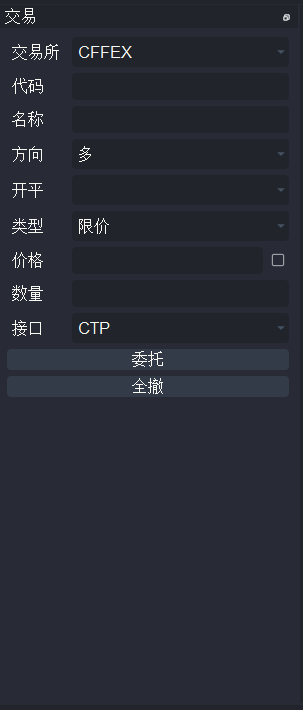 ## 查看委托成交持仓 完成一次完整交易后,建议重点关注以下几个区域: - `委托`:确认委托是否已经发出、成交或撤销; - `成交`:确认是否已有实际成交记录; - `持仓`:确认成交后持仓是否变化; - `资金`:观察账户权益和可用资金的变化; - `日志`:核对是否存在风控提示、接口异常或其他重要信息。 对于入门用户来说,养成“下单后先看委托,再看成交和持仓”的习惯,往往比一味关注价格变动更重要。 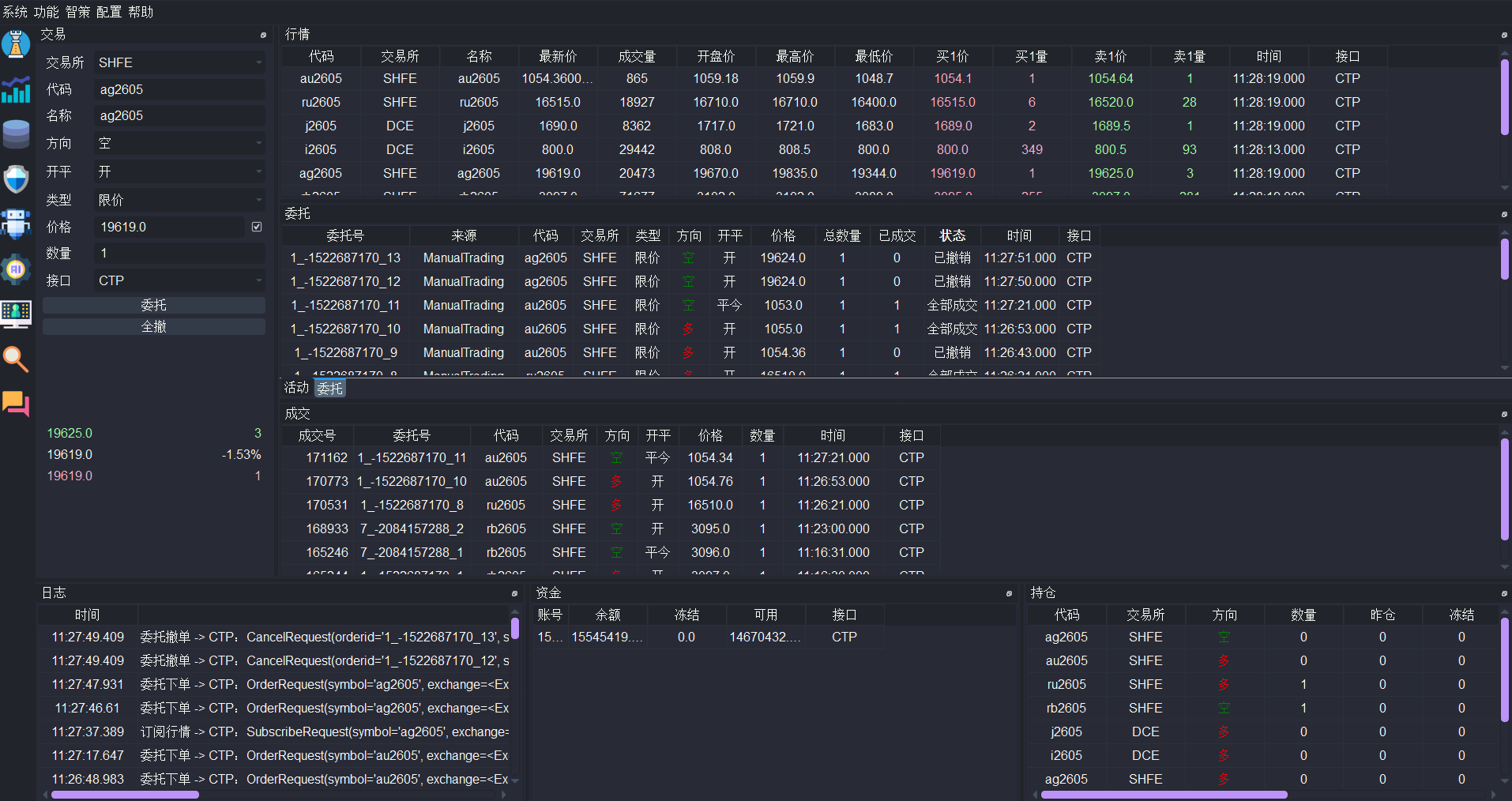 ## 常见连接问题 ### 无法建立连接 现象:点击连接后,日志中长时间没有正常登录反馈,或直接提示连接失败。 处理建议:如果长时间没有日志输出反馈,可以通过telnet检查对应服务器端口是否开启。如果有日志反馈输出,可以结合日志输出信息先检查网络状态,再确认填写的信息是否来自正确环境,并联系所属期货公司确认当前服务状态。 ### 能登录但无法查询合约 现象:账户连接成功,但查询不到目标合约。 处理建议:先确认交易所和合约代码写法,再确认当前环境是否支持该合约或该交易时段是否有效。 ### 能连接但没有行情 现象:连接成功后无法看到实时行情更新。 处理建议:先确认是否已经正确订阅目标合约(如果输入的合约代码是接口连接后已经查到的,订阅成功之后交易组件的“名称”字段会自动显示),再检查当前时间是否处于对应市场的有效行情时段。 ### 委托发出后没有成交 现象:委托状态停留在未成交或部分成交。 处理建议:这是交易过程中的正常情况之一,应结合价格、盘口和委托状态综合判断,不要将“未成交”等同于系统异常。 完成 CTP 连接后,你可以继续阅读 [CTA策略](../strategy/fusion_cta.md) 和 [回测与优化](../strategy/fusion_backtester.md),开始进入量化交易主线。
Shown in full with attribution under the source's licence. Licence: MIT
This summary was written by Stratmill's research agent from the original; it is not a copy of the source.