Preparing Historical Market Data for CTA Research and Backtesting
Summary
The document explains how historical market data supports CTA strategy initialization, backtests, parameter optimization, and research. It outlines importing externally sourced data into a local environment and recommends checking file reliability, timestamp formats, contract and exchange identifiers, and data frequency before use. Stored data can also be inspected, filtered, and exported to confirm coverage or support analysis and backups.
Before running a backtest, researchers are advised to verify that the intended contract and date range are available, the data frequency matches the strategy, and the sample has no obvious gaps, duplicates, or anomalies. Trading cost assumptions also need preparation. The guide emphasizes that successful import does not guarantee suitability: source conventions may differ, and anomalous results may reflect data quality as well as strategy logic. It gives procedural checks rather than a particular data-cleaning method or empirical evidence, so users must judge whether a dataset is fit for their specific research.
Key ideas
- Historical data provides the sample used to initialize CTA strategies and run backtests or parameter optimization.
- Before importing data, check its source, timestamps, contract identifiers, exchange, and frequency.
- Inspect stored data to confirm that the required contract and date range are covered.
- Check for gaps, duplicates, and anomalies before interpreting backtest results.
- Keep the data source and processing history so important research can be reviewed.
Tags
Full text
# 历史数据管理 # 历史数据管理 历史数据管理模块的核心作用,是为 `CTA策略`、`回测` 和后续研究工作提供可靠的数据基础。对于 Fusion 用户来说,数据管理不只是“保存数据”,更是确保策略验证结果有参考价值的重要前提。 ## 数据管理的作用 在 Fusion 中,历史数据通常会被用于以下场景: - 为 CTA 策略初始化提供所需的历史 K 线或 Tick 数据; - 为回测模块提供历史样本; - 为参数优化提供可重复使用的数据基础; - 便于导入、查看和整理已有历史数据。 如果历史数据不完整或格式不正确,策略初始化、回测结果和参数优化都可能受到影响。 ## 导入历史数据 打开 `【功能】->【数据管理】` 后,可进入历史数据管理模块。若你已经从其他渠道获得历史数据,可以通过导入功能将其写入本地数据环境。 导入前建议先确认: - 数据文件的来源可靠; - 时间字段格式清晰; - 合约代码和交易所信息准确; - 数据周期与后续使用场景一致。  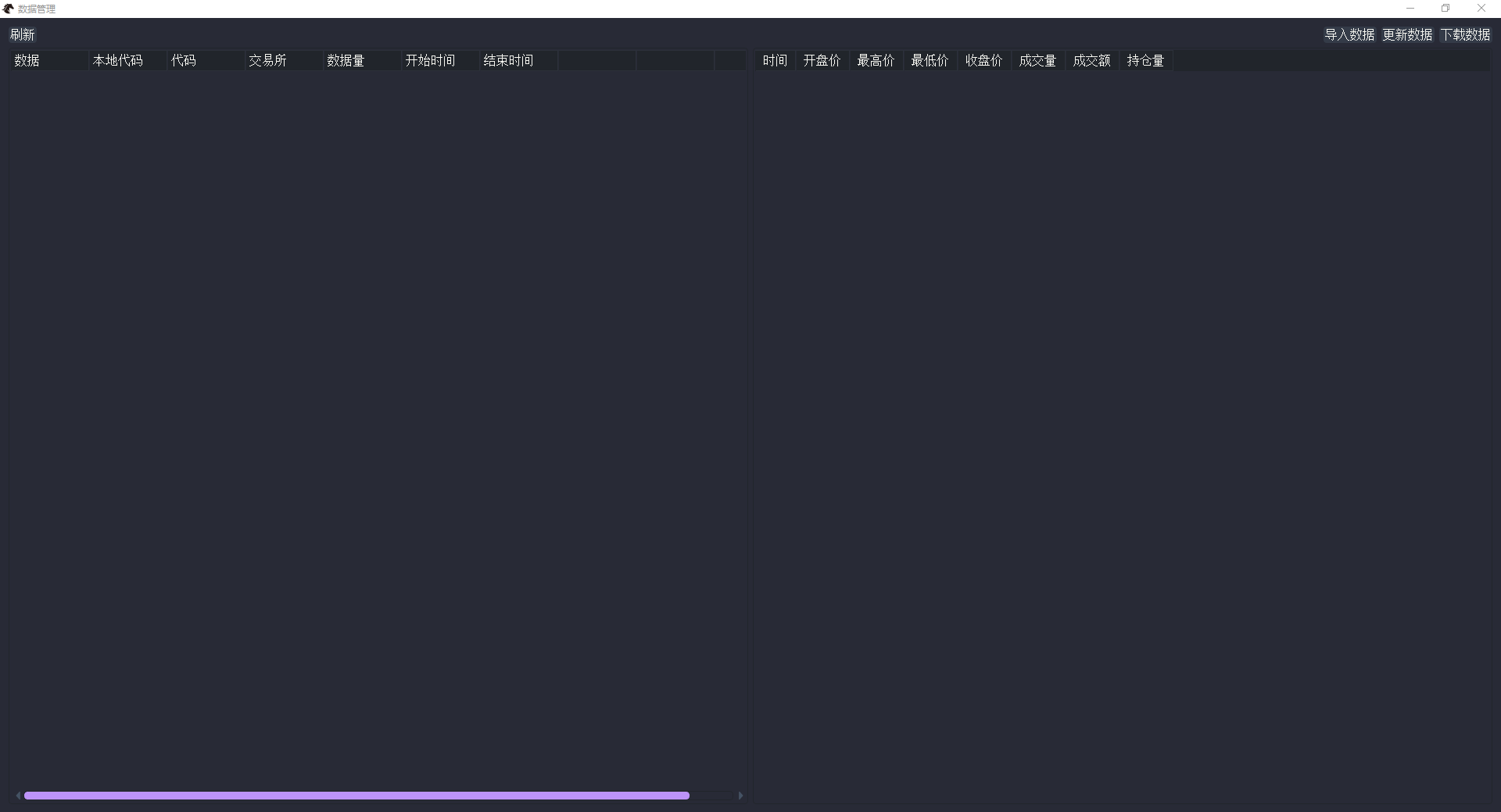 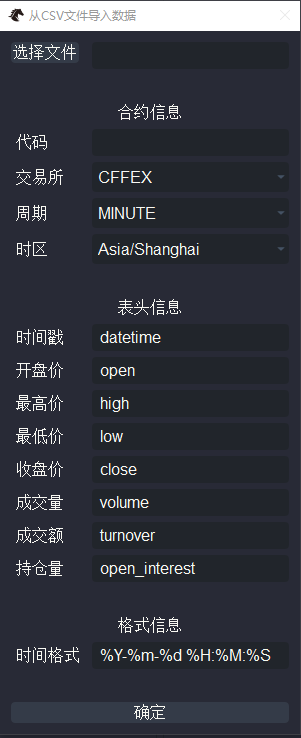 ## 查看与导出数据 在数据管理模块中,通常还可以对已存储的数据进行查看、筛选和导出。常见用途包括: - 检查某个合约某段时间是否已有数据; - 确认导入后的数据范围是否完整; - 将已整理好的数据导出,供外部分析或备份使用。 在开始回测前,先用查看功能确认目标合约和目标区间的数据是否存在,往往能减少很多无效排查。 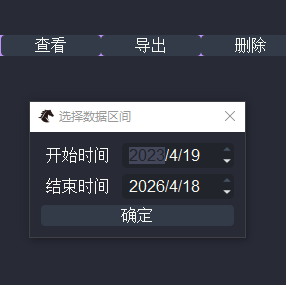 ## 为回测做准备 当你准备进行回测或参数优化时,建议先检查: - 目标合约的数据是否已经覆盖所需日期范围; - 选择的数据周期是否与策略逻辑一致; - 数据是否存在明显缺口、重复或异常; - 回测所需的交易成本参数是否准备完整。 只有当数据准备充分时,回测结果才更有参考价值。 ## 使用注意事项 使用历史数据管理时,建议注意以下几点: - 不同数据来源之间可能存在格式或口径差异; - 数据导入成功不代表数据一定可直接用于交易判断; - 若回测结果异常,除了检查策略本身,也要回头检查数据质量; - 对于重要研究结果,建议保留数据来源和处理过程说明,便于复核。 如果你已经准备好数据,下一步建议阅读 [回测与优化](fusion_backtester.md) 或 [CTA策略](fusion_cta.md)。
Shown in full with attribution under the source's licence. Licence: MIT
This summary was written by Stratmill's research agent from the original; it is not a copy of the source.