Streaming VeighNa Market Data into Excel with RTD
Summary
The document explains how to connect VeighNa trading software to Excel through its ExcelRtd module and PyXLL. After installing and configuring the commercial PyXLL add-in, users can enable the module in VeighNa Station or load it in a startup script. The guide says to connect a trading interface and wait for contract information before opening the RTD interface; with Interactive Brokers, users may need to subscribe to market data manually first.
In Excel, the provided RTD function retrieves a requested field from a VeighNa tick for a specified instrument, enabling live quote displays. The examples include futures quotes, market depth, and spread monitoring. This is an integration and monitoring workflow, not a trading strategy or performance study. It depends on a paid third-party add-in, an active data connection, and user-built spreadsheet layouts; the document does not discuss reliability, latency, or trading risks.
Key ideas
- ExcelRtd exposes VeighNa tick data to Excel through PyXLL.
- The module must be enabled or loaded and started after the trading interface connects.
- Excel formulas can request fields such as bid, high, low, and last price for a chosen instrument.
- The guide illustrates futures quote tracking, depth monitoring, and spread monitoring.
- PyXLL is commercial software, and the document gives no performance or reliability evaluation.
Tags
Full text
# ExcelRtd - EXCEL RTD模块 # ExcelRtd - EXCEL RTD模块 ## 功能简介 ExcelRtd是用于**在Excel中访问VeighNa程序内任意数据信息**的功能模块, RTD全称是RealTimeData,是微软提供的主要面向金融行业中实时数据需求设计的Excel数据对接方案。ExcelRtd依赖于PyXLLC模块(www.pyxll.com),该模块属于商业软件,需要购买才能使用(提供30天免费使用)。 ## 安装PyXLL 为了使用ExcelRtd模块,需要安装PyXLL插件。步骤如下: 首先进入[PyXLL官网](https://www.pyxll.com/),点击DownloadPyXLL,如下图所示: 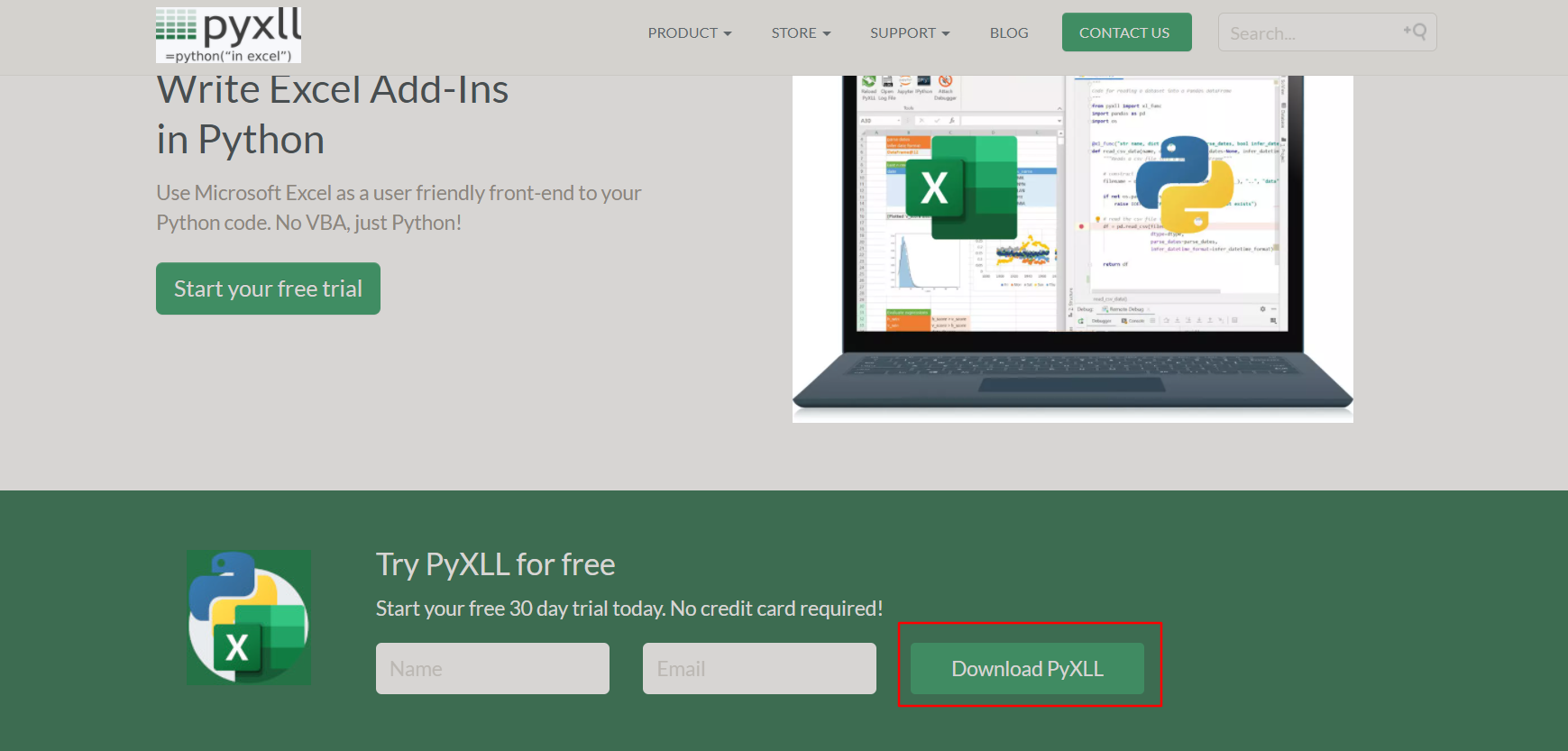 接着跳转到下载界面,如下图所示: 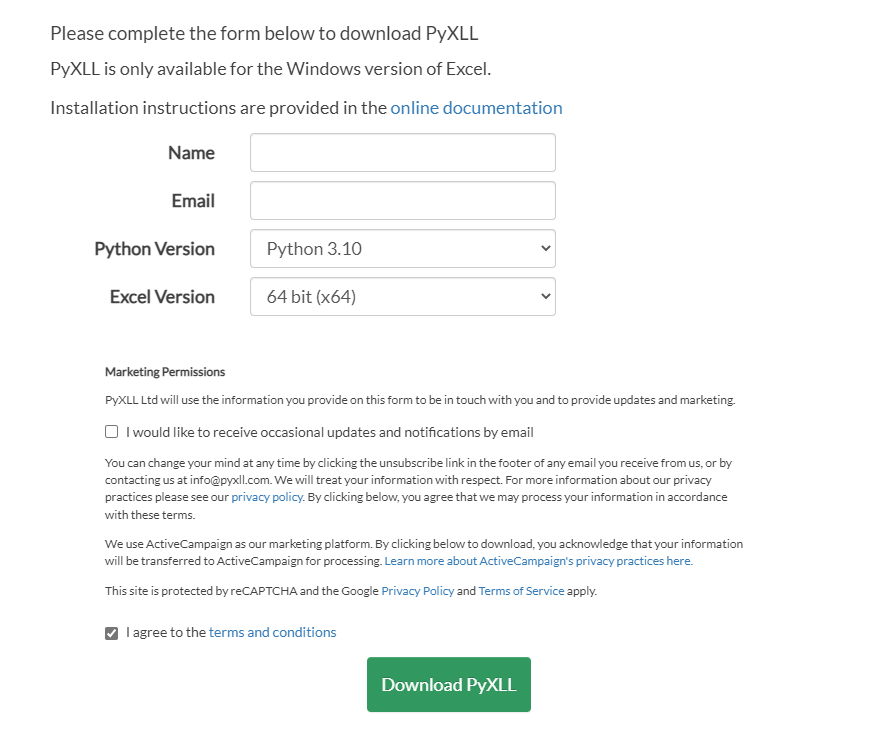 这时需要填写相应字段,其中**Python Version**选择Python3.10,而**Excel Version**则根据自己安装的Excel版本选择,一般为64bit(x64)。 填写完之后点击【Download PyXLL】,就会跳转到下载页面。将文件下载好之后,进入放置该文件的文件夹,按住shift键并且点击鼠标右键,选择【在此处打开PowerShell窗口】,运行以下命令: ```bash pip install pyxll pyxll install ``` 接着按照软件要求就能成功安装了。 请注意,在执行到下图这一步时:  如果没有具体指定路径,会安装到图中的默认位置(因为后面还需要进入这个文件夹,所以请记住这个路径)。 接着进入该目录下的examples目录,并把路径~/veighna_studio/Lib/site-packages/vnpy_excelrtd/下的vnpy_rtd.py放入该目录,如下图所示: 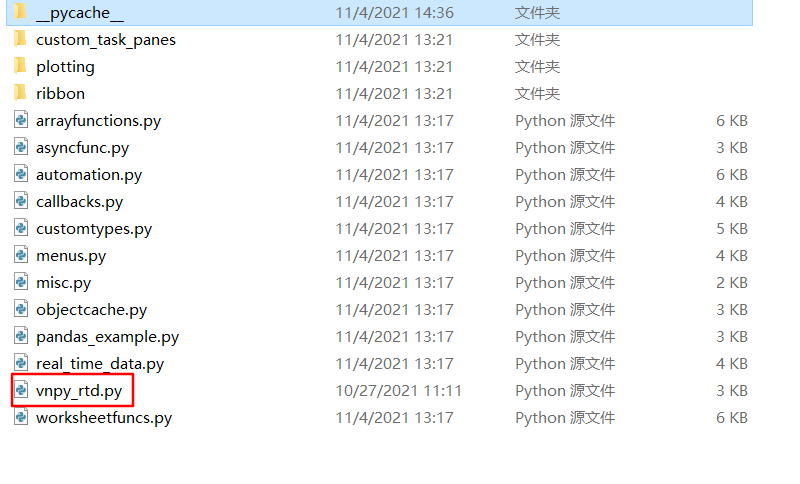 如此就算正式安装完成了。 ## 加载启动 ### VeighNa Station加载 启动登录VeighNa Station后,点击【交易】按钮,在配置对话框中的【应用模块】栏勾选【ExcelRtd】。 ### 脚本加载 在启动脚本中添加如下代码: ```python3 # 写在顶部 from vnpy_excelrtd import ExcelRtdApp # 写在创建main_engine对象后 main_engine.add_app(ExcelRtdApp) ``` ## 启动模块 在启动模块之前,请先连接交易接口(连接方法详见基本使用篇的连接接口部分)。看到VeighNa Trader主界面【日志】栏输出“合约信息查询成功”之后再启动模块,如下图所示: 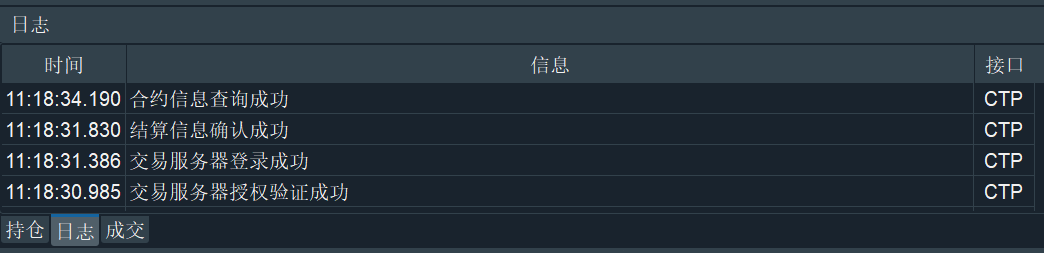 请注意,IB接口因为登录时无法自动获取所有的合约信息,只有在用户手动订阅行情时才能获取。因此需要在主界面上先行手动订阅合约行情,再启动模块。 成功连接交易接口后,在菜单栏中点击【功能】 -> 【Excel RTD】,或者点击左侧按钮栏的图表:  即可进入Excel RTD模块的UI界面,如下图所示: 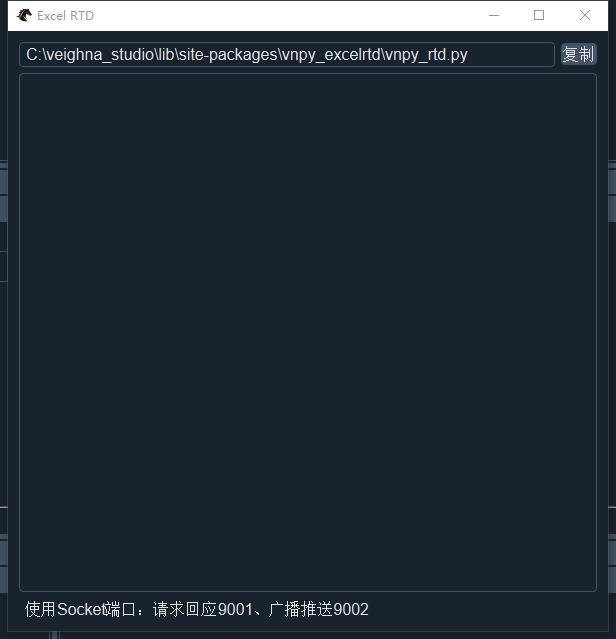 ## 功能和配置 ### 基础应用 在启动Excel RTD模块后,即可在Excel表格中通过PyXll调用该模块提供的功能(主要是通过rtd_tick_data函数获取实时数据)。 首先打开一个excel表格,并且在每个单元格中调用rtd_tick_data函数并传入相应参数则可获取对应的数据,如下图所示: 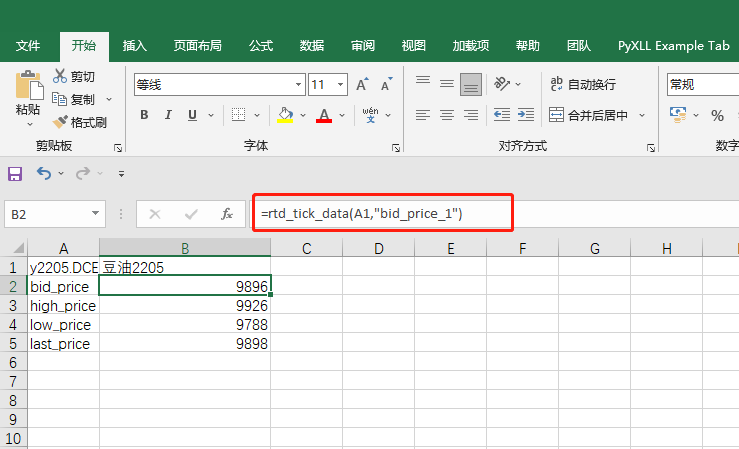 上图是获取豆油2205四个字段实时数据(分别是bid_price_1、high_price、low_price以及last_price)的例子。 从图中可以看出rtd_tick_data函数需要两个参数:一个是vt_symbol,另一个是VeighNa中定义的TickData的属性(具体属性可参考源代码vnpy.trader.object.TickData)。这两个参数都是字符串,第一个参数可以通过单元格的具体位置指定,比如“A1”表示A列第1行的数据。 与此同时,在Excel RTD模块的图形界面中也能看到相应输出,如下图所示: 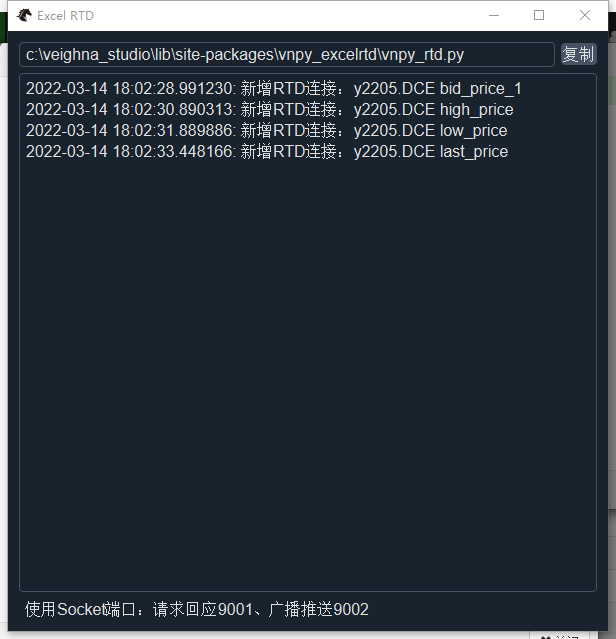 ### 进阶应用 当然,上面只是简单的展示了ExcelRtd模块的功能。至于具体获取哪些数据,以什么样的方式展示在excel上,则由用户根据自己的实际需求编写。这里提供几个进阶的案例,包括期货市场报价跟踪、市场深度行情跟踪以及价差监控: #### 期货市场报价跟踪 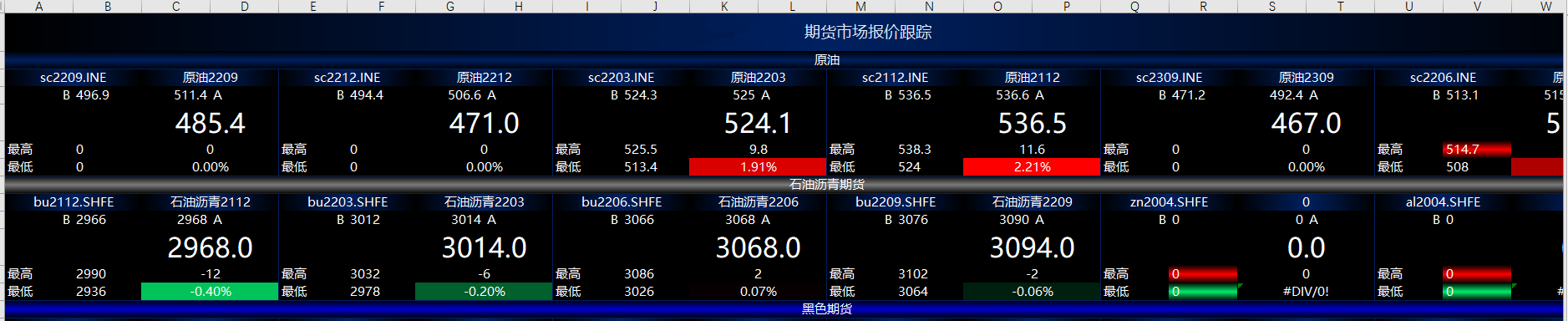 #### 市场深度行情跟踪 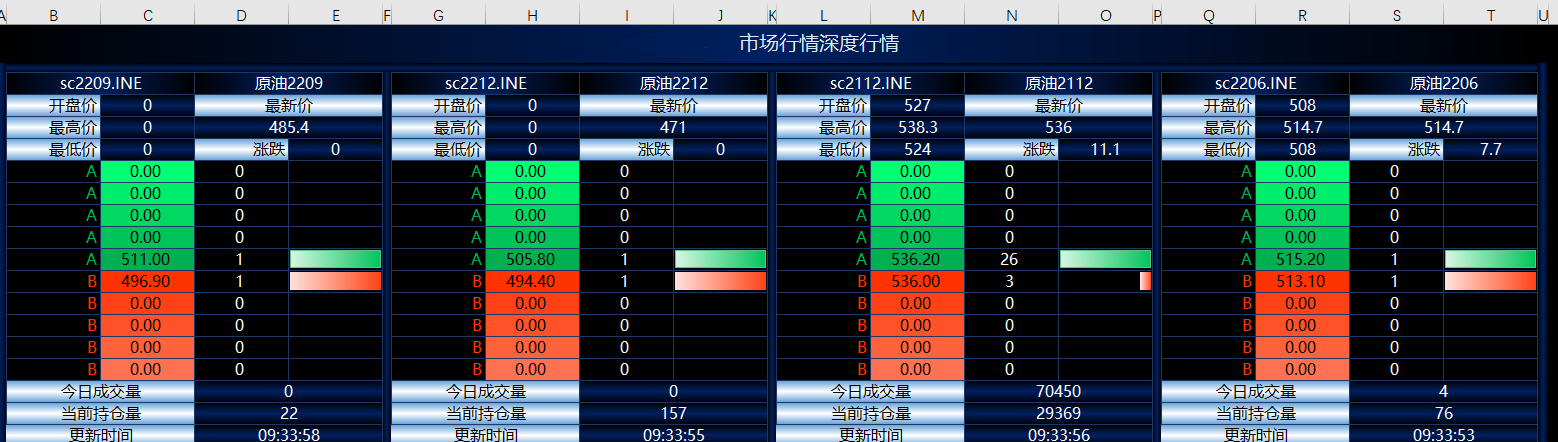 #### 价差监控 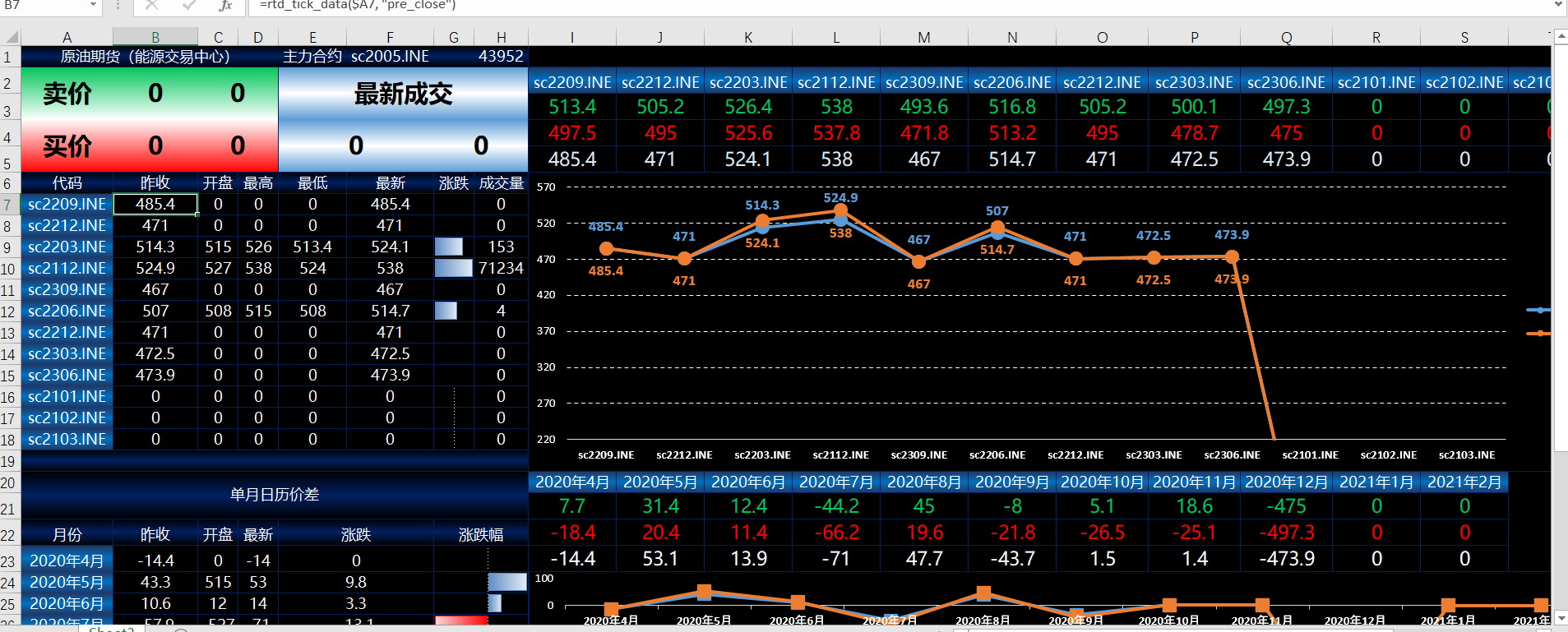
Shown in full with attribution under the source's licence. Licence: MIT
This summary was written by Stratmill's research agent from the original; it is not a copy of the source.